


SUPPORT ARTICLE | 1 minute read
Integrating with your Shopify store
If you're running your ecommerce business on Shopify, you can seamlessly integrate your store data with Mail Blaze to build sophisticated automations that help you connect with customers at crucial touchpoints. In this guide, we'll walk you through the process of linking your store information and explore the various ecommerce triggers and conditions at your disposal.
How to connect your Shopify Store
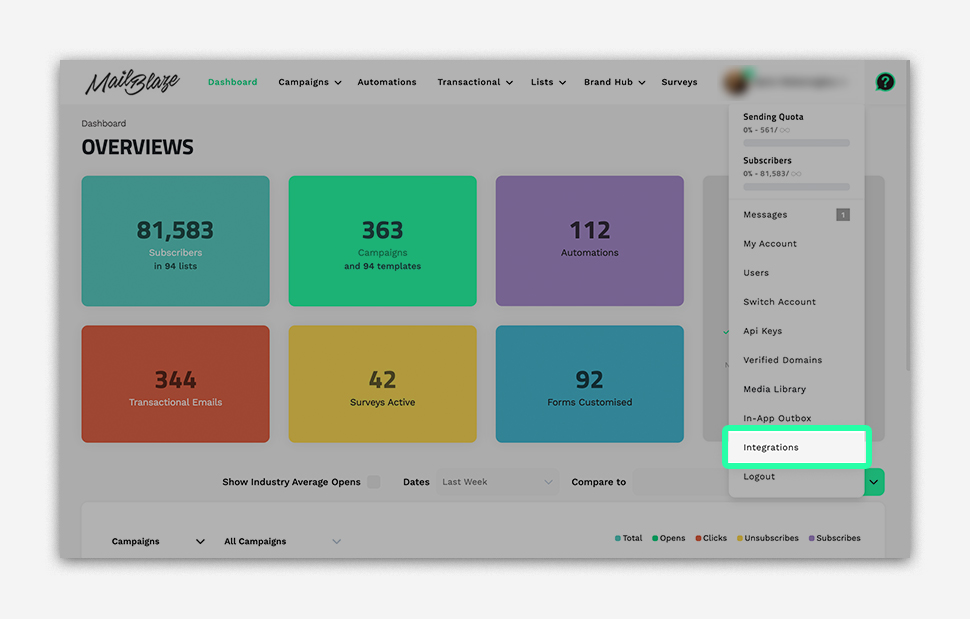
To connect your Shopify store you need to log in to your Mail Blaze account. Now click on YOUR PROFILE and click on INTEGRATIONS, you will now click on the INTEGRATE button next to Shopify and complete the connection as prompted.
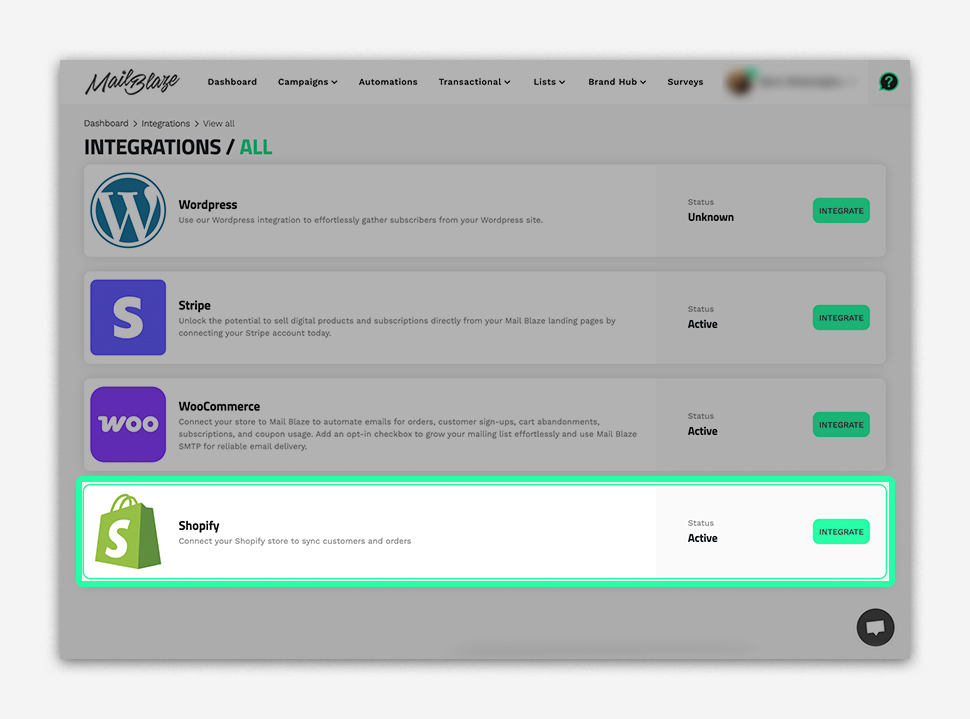
Store Authorization:
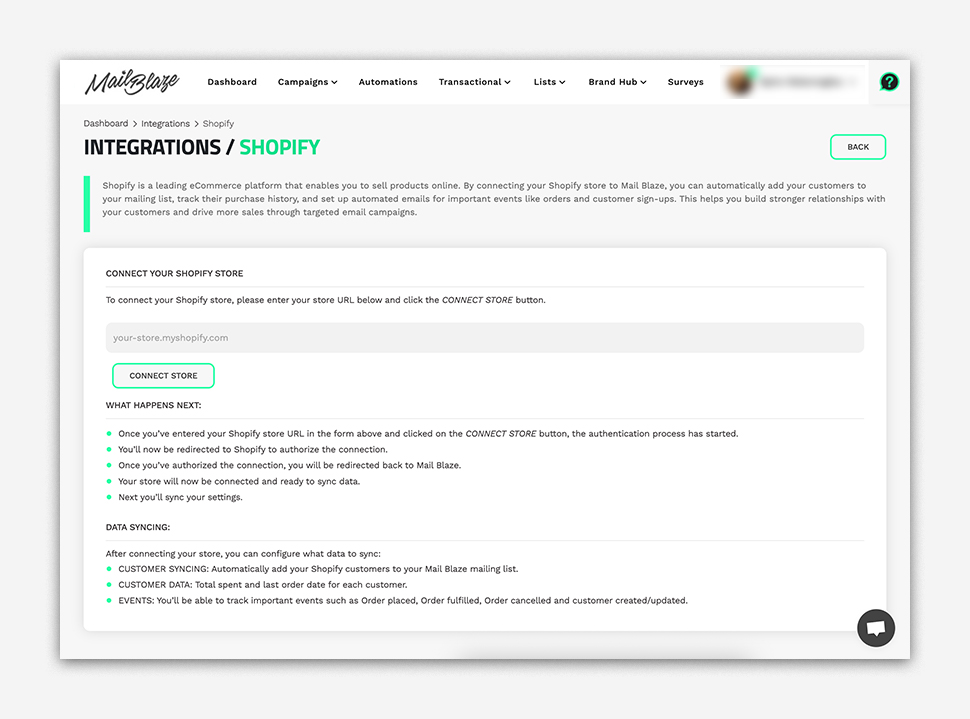
- Once you’ve entered your Shopify store URL as prompted you will click on the CONNECT STORE button, the authentication process will start.
- You’ll now be redirected to Shopify to authorize the connection.
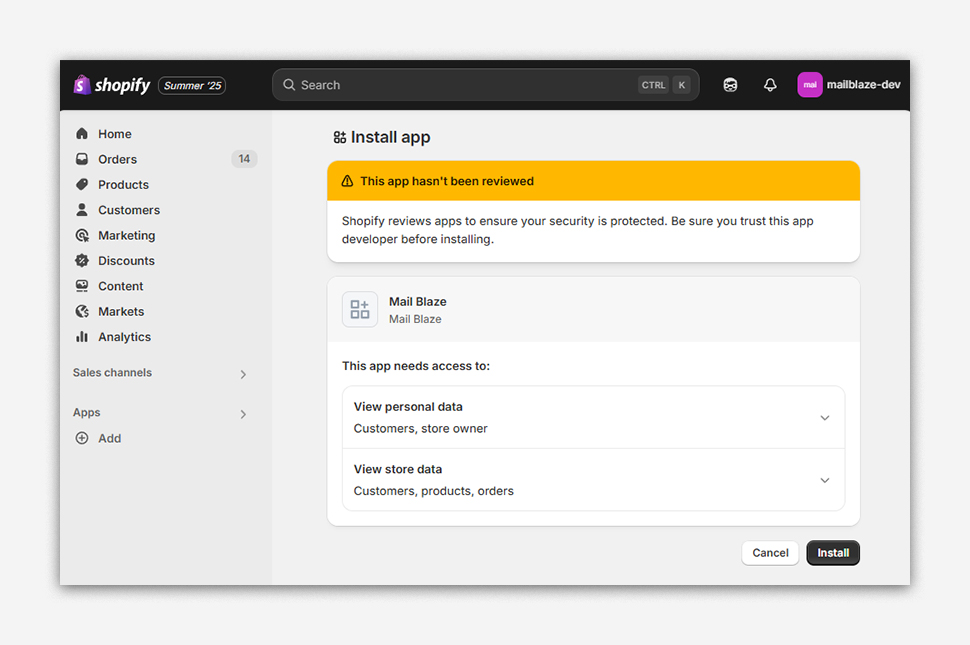
- Once you’ve authorized the connection, you will be redirected back to Mail Blaze.
- Your store will now be connected and ready to sync data.
- Next you’ll sync your settings.
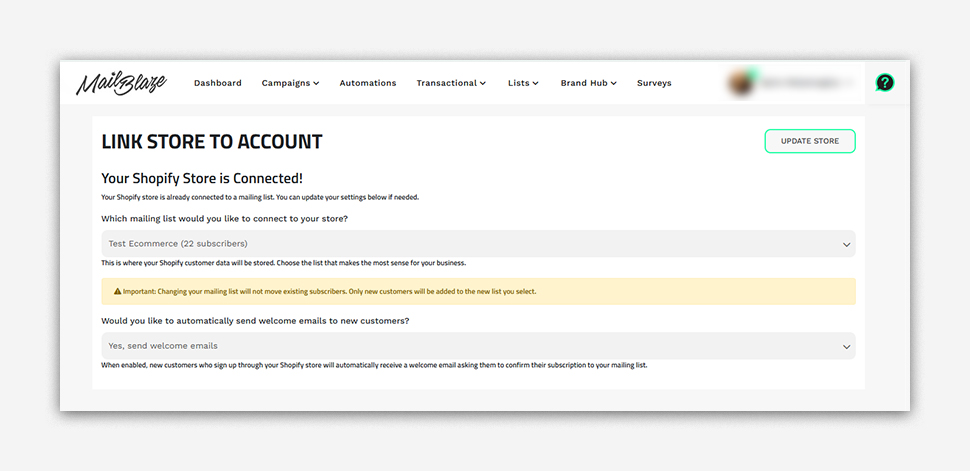
Data Synching:
After connecting your store, you can configure what data to sync:
- CUSTOMER SYNCING: Automatically add your Shopify customers to your Mail Blaze mailing list.
- CUSTOMER DATA: Total spent and last order date for each customer
- EVENTS: You’ll be able to track important events such as Order placed, Order fulfilled, Order cancelled and customer created/updated.